

Global Broker Regulation Inquiry App
About WikiFX
English
简体中文
繁體中文
English
Pусский
日本語
ภาษาไทย
Tiếng Việt
Bahasa Indonesia
Español
हिन्दी
Filippiiniläinen
Français
Deutsch
Português
Türkçe
한국어
العربية
اردو


INZO Account Login & App Guide: How to Access Your Trading Account?

WikiFX
|


Abstract:A simple guide to the INZO account login process. Learn how to access your client area and download the trading app for a seamless login experience.
How Easy Is the INZO Account and App Login Process?
The login process for INZO is straightforward, and users can access their accounts via web browsers or mobile apps. After registering, users must complete KYC verification, which can take up to a few days, depending on document approval. Security features like two-factor authentication (2FA) are available, ensuring your account remains secure.
Step-by-Step Guide to INZO Account Registration
Step 1: Visit INZO's website: Go to the homepage and click on the “Open Real Account” button (https://my.inzo.co/auth/signup/trading).
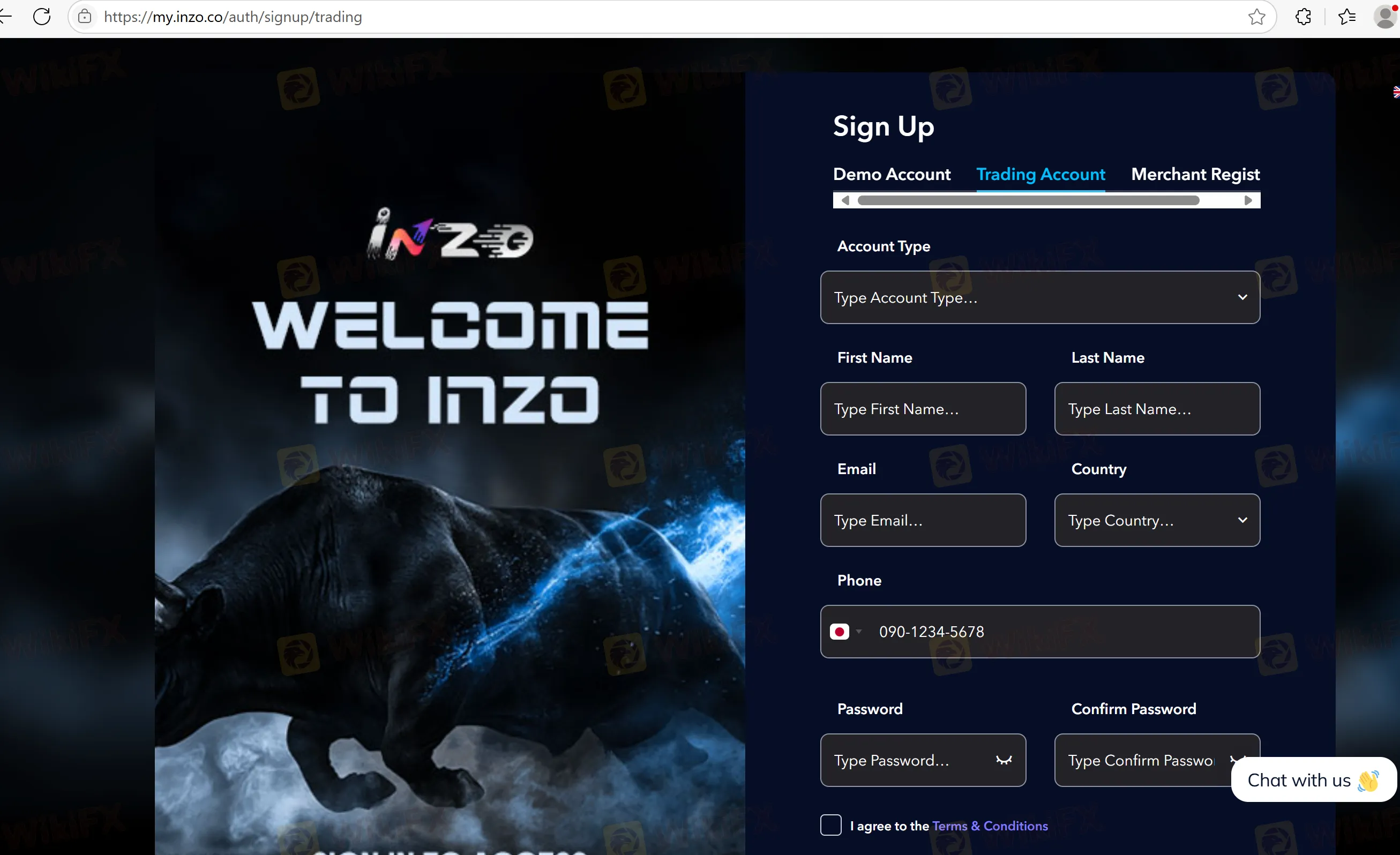
Step 2: Enter your details: Fill in your name, email, and phone number.
Step 3: Verification: Submit proof of identity and address for KYC approval.
Step 4: Two-Factor Authentication: Enable 2FA for added security.
Step 5: Start trading: Once verified, you can deposit funds and begin trading.
FAQs about the INZO Login Process
- How do I recover my password?
Click on the “Forgot Password” link on the login page and follow the instructions.
- Does the INZO app support biometric login?
Yes, the INZO app supports biometric login on supported devices.
- What do I do if my account is locked?
Contact customer support via email or live chat to resolve account issues.
Disclaimer:
The views in this article only represent the author's personal views, and do not constitute investment advice on this platform. This platform does not guarantee the accuracy, completeness and timeliness of the information in the article, and will not be liable for any loss caused by the use of or reliance on the information in the article.
WikiFX Broker
Latest News
Bessent says Treasury buyback operation could be more than $4 billion
WikiFXTrump bemoans Fed interest rate policy, says U.S. should be paying much less
WikiFXMiri man loses RM511,406 to fake online investment scheme
WikiFXWhy Fake Screenshots Make You Feel Like a Losing Trader
WikiFXXORKETS FX Review 2026: Withdrawal Demands and Unregulated Risks
WikiFXReview 2026: STMARKET Regulation, MT5 Access, and Withdrawal Complaint Signals
WikiFXDFSA Warns of Scam Impersonating Firm Menhir Capital
WikiFXSri Lanka to Criminalize Unauthorized Forex Transfers
WikiFXA Losing Streak Hijacks Your Judgement. Here's a 4-Step Reset
WikiFXAtom Group Wins DFSA Nod for DIFC Entry in Amaltas Deal
WikiFX