

Global Broker Regulation Inquiry App
About WikiFX
English
简体中文
繁體中文
English
Pусский
日本語
ภาษาไทย
Tiếng Việt
Bahasa Indonesia
Español
हिन्दी
Filippiiniläinen
Français
Deutsch
Português
Türkçe
한국어
العربية
اردو


EterWealth Login – Account Access and MT5 Trading Entry Guide

WikiFX
|


Abstract:A comprehensive guide to the EterWealth login process, from registering a new trading account to accessing the MT5 platform on any device.
 Contents
How to Register with EterWealth?
Getting started with EterWealth is a simple process. New users can follow these steps:
Step 1: Visit the official website at https://eterwealth.com/
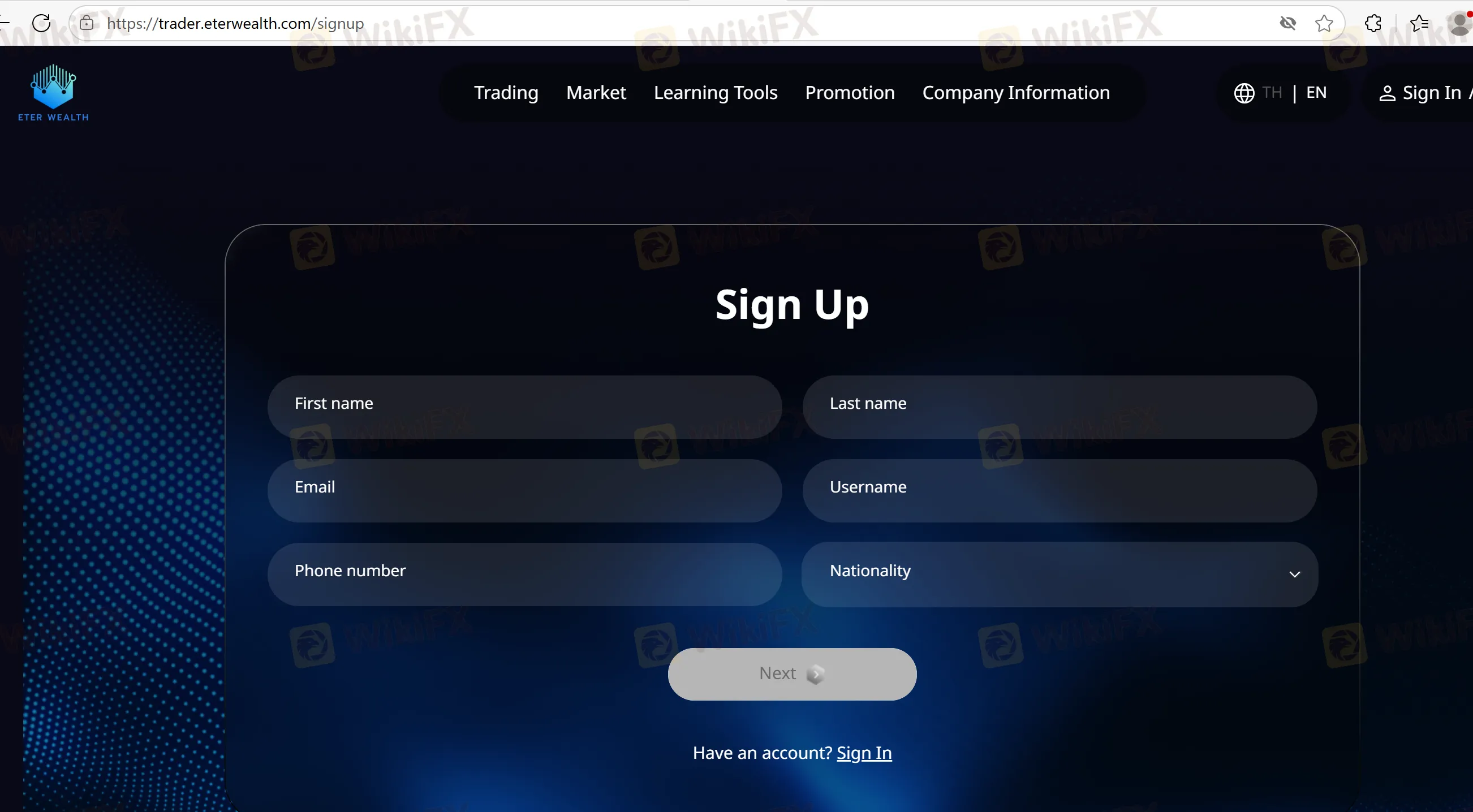
Step 2: Click on “Open Live Account” or “Open a Free Demo Account” or “Sign Up”
Step 3: Fill in personal details, email, and set a secure password
Step 4: Submit KYC documents such as ID/passport and proof of address
Step 5: Wait for email verification and account activation
Once verified, you will receive login credentials to access both the client portal and MT5.
Logging into MT5 and Account Portal
EterWealth provides separate access for:
- Client Portal Login: Manage funds, access promotions, submit documents
- MetaTrader 5 (MT5) Login: Start trading using the credentials issued during registration
You can access MT5 on:
- Windows desktop
- Android mobile and tablet
Download links are provided on the platform for each device type.
Account Security and Support
While EterWealth facilitates multi-device login, it does not currently provide:
- Two-Factor Authentication (2FA)
- Social login (Google/Facebook)
- Self-service password recovery
In case of login issues, users must directly contact the support team via the websites contact form or email. There is no 24/7 live support confirmed.
FAQs about EterWealth Login Process
How do I open an account with EterWealth?
Visit their website and complete the sign-up and KYC verification process.
What platform do I use to trade?
MetaTrader 5 (MT5) for desktop, mobile, and tablet.
Where do I manage my deposits and withdrawals?
Through the secure Client Portal, separate from MT5.
Can I use biometric or 2FA login for security?
No, EterWealth does not currently offer two-factor authentication.
What if I lose my password?
You must contact EterWealth support directly to reset login credentials.
Are there mobile apps available?
Yes, MT5 apps are available for Android smartphones and tablets via the brokers platform.
Disclaimer:
The views in this article only represent the author's personal views, and do not constitute investment advice on this platform. This platform does not guarantee the accuracy, completeness and timeliness of the information in the article, and will not be liable for any loss caused by the use of or reliance on the information in the article.
WikiFX Broker
Latest News
KATOPRIME Review: Regulation Gaps and Broker Risks Traders Cannot Ignore
WikiFXPocket Option Review 2026: Complaints, Withdrawals, and Unregulated Risk
WikiFXSpec Capital Group Secures ASIC Licence for Wholesale CFD Services
WikiFXU.S. Rates and Tariffs Shape Macro Risk Sentiment
WikiFXMiri man loses RM511,406 to fake online investment scheme
WikiFXSri Lanka to Criminalize Unauthorized Forex Transfers
WikiFXInteractive Brokers Changes Overnight Order Default in TWS
WikiFXDFSA warns of scam cloning authorised firm Menhir Capital
WikiFXA Losing Streak Hijacks Your Judgement. Here's a 4-Step Reset
WikiFXTrump bemoans Fed interest rate policy, says U.S. should be paying much less
WikiFX