

Global Broker Regulation Inquiry App
About WikiFX
English
简体中文
繁體中文
English
Pусский
日本語
ภาษาไทย
Tiếng Việt
Bahasa Indonesia
Español
हिन्दी
Filippiiniläinen
Français
Deutsch
Português
Türkçe
한국어
العربية
اردو


Deriv Login: Easy Steps to Access Your Account

WikiFX
|


Abstract:Learn how to log into your Deriv account and access all trading platforms. Follow the steps for account setup and explore login options for security and ease of access.
 Contents
How to Create a Deriv Account?
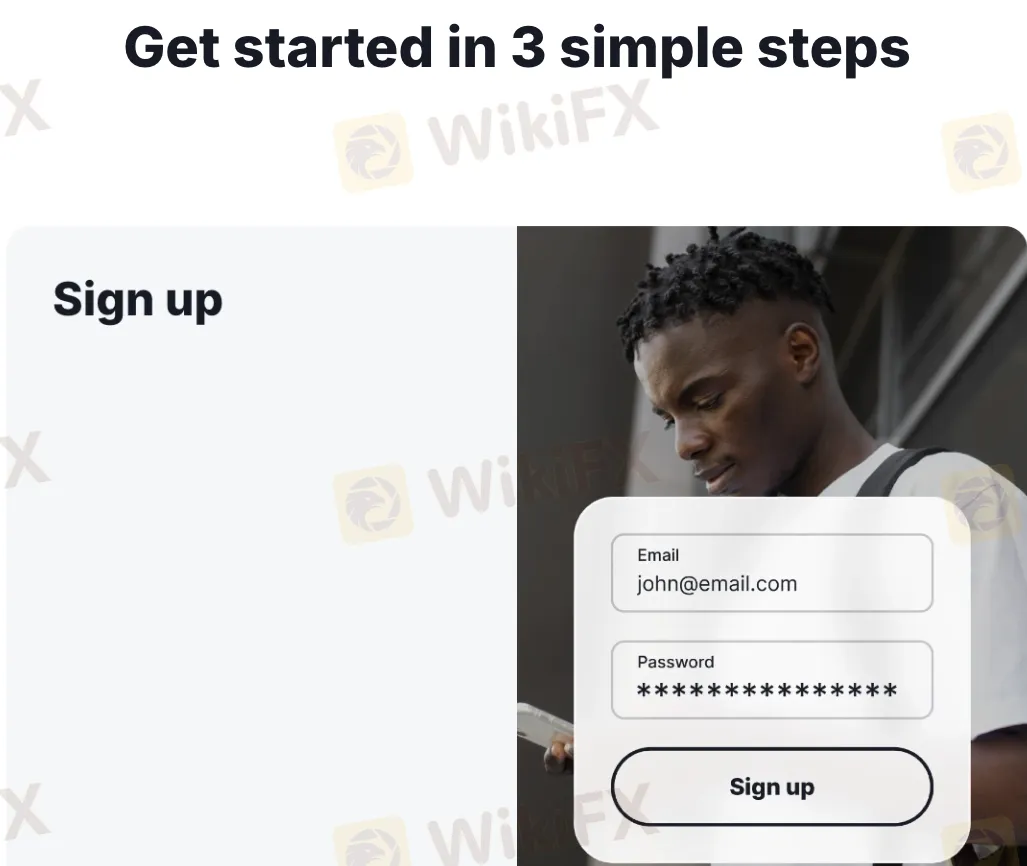
Creating a Deriv account is quick and beginner-friendly. The broker allows multiple sign-up methods while enforcing strict security validation post-registration.
- Registration Options:
- Via email + password
- Google login
- Facebook login
- Apple ID (on iOS)
- Registration Steps:
- Visit deriv.com.
- Click “Create free demo account”.
- Enter your email address and confirm via inbox verification link.
- Choose your country and create a password.
- Set up real account options (platforms, currency, etc.).
- Multi-Account Structure:
- One main login controls access to all platforms (MT5, Deriv X, SmartTrader, cTrader).
- Each sub-platform generates its own login ID and password after setup, accessible under the “Accounts” section in the dashboard.
- Verification (KYC):
- Not required for demo use.
- For real accounts: ID + Proof of address + Face verification (sometimes required depending on region).
Logging Into Deriv Platforms
Deriv supports centralized access management through a master login, with individual credentials for platform-specific modules:
- Main Dashboard: Login at deriv.com gives access to cashier, settings, account switcher, and downloads.
- Deriv MT5:
- MT5 login ID (e.g., 910000123)
- Password created during account generation
- Server: Deriv-Server or Deriv-Demo (depending on account)
- After creating your DMT5 account, credentials are sent via email.
- MT5 is available on web, desktop (Windows/Mac), and mobile.
- You can log in using:
- Deriv X:
- No separate credentials needed.
- Login through the browser or app using the master account.
- cTrader:
- Requires cTrader ID login (connected via email).
- Synced automatically during platform activation.
- Deriv GO App:
- Download from App Store/Google Play.
- Login using your Deriv credentials.
- Offers biometric authentication (Face ID, fingerprint).
Account Security & Recovery
Deriv provides multiple levels of protection to ensure account integrity and access control:
- Two-Factor Authentication (2FA): Can be enabled via email or Google Authenticator.
- Biometric Security: Available on mobile platforms.
- Session Monitoring: Users can view and terminate device logins remotely from the dashboard.
- Password Recovery:
- Use “Forgot password” on the login page.
- Reset instructions are sent via registered email.
- Anti-fraud Measures:
- Geo-IP tracking for logins.
- Login blocking on suspicious behavior.
- Auto-logout from idle sessions.
🛡️ Pro Tip: Always use a strong password and enable 2FA. Avoid public Wi-Fi for login actions.
FAQs on Deriv Login, MT5 Access, and Registration
Do I need a separate account for MT5 and Deriv X?
No. One Deriv login controls all platform accounts. You only need to create sub-accounts for each platform once.
Can I log in with my mobile number?
No. Deriv login only supports email-based or social account login (Google, Facebook, Apple).
I forgot my MT5 password. How can I reset it?
Go to your Deriv dashboard > MT5 section > Click “Reset Password” next to the affected account.
How do I switch between demo and real accounts?
All platforms provide a toggle between real and demo within the same app or web portal.
Why is my login blocked?
This may occur due to multiple failed login attempts, suspicious geo-locations, or inactivity. Use the reset option or contact Deriv support.
Can I open multiple Deriv accounts with the same email?
No. Deriv strictly allows one personal account per user. Creating multiple violates their terms and can lead to account bans.
Do I need a separate account for MT5 and Deriv X?
No. One Deriv login controls all platform accounts. You only need to create sub-accounts for each platform once.
Can I log in with my mobile number?
Deriv login only supports email-based or social account login (Google, Facebook, Apple).
How do I switch between demo and real accounts?
All platforms provide a toggle between real and demo within the same app or web portal.
How do I log into my Deriv account?
You can log into your Deriv account by visiting the homepage and entering your registered email and password.
What if I forget my password?
If you forget your password, simply click on the “Forgot Password” link on the login page and follow the instructions to reset it.
Can I log in from multiple devices?
Yes, you can log in from multiple devices, including desktop and mobile, as long as you use your registered credentials.
Is there a two-factor authentication option?
Yes, Deriv offers two-factor authentication (2FA) to enhance the security of your account.
How do I verify my account?
After signing up, you will be prompted to verify your account by uploading documents such as an ID card and proof of address for KYC purposes.
Disclaimer:
The views in this article only represent the author's personal views, and do not constitute investment advice on this platform. This platform does not guarantee the accuracy, completeness and timeliness of the information in the article, and will not be liable for any loss caused by the use of or reliance on the information in the article.
WikiFX Broker
Latest News
Review 2026: GFS Withdrawal Complaints, Regulation Gaps, and Broker Risk Signals
WikiFXVG Markets Review: A Real FSCA Licence, But Why Only a 4.47 Score?
WikiFXVonway Review: Withdrawal Complaints and a Regulator Warning
WikiFXTriumphFX Review: Revoked Licence and TFX Token Losses Warrant Caution
WikiFXGold Climbs Toward $4,400 as September Fed Hike Odds Tumble
WikiFXRinggit jumps 225 pips as US data cools Fed hike bets
WikiFXStoneX Agrees to Acquire Brazil FX Bank Banco Travelex
WikiFXAtom Group Wins DFSA Nod for DIFC Entry in Amaltas Deal
WikiFXMiri man loses RM511,406 to fake online investment scheme
WikiFXSri Lanka to Criminalize Unauthorized Forex Transfers
WikiFX