

Global Broker Regulation Inquiry App
About WikiFX
English
简体中文
繁體中文
English
Pусский
日本語
ภาษาไทย
Tiếng Việt
Bahasa Indonesia
Español
हिन्दी
Filippiiniläinen
Français
Deutsch
Português
Türkçe
한국어
العربية
اردو


Opofinance Login Portal for MT4 and MT5 Account Access

WikiFX
|


Abstract:Access your Opofinance login securely for MT4 and MT5 accounts. Learn how to register, verify, and manage your trading accounts on desktop or mobile platforms.
 Contents
How to Create and Log In to an Opofinance Account?
To start trading with Opofinance, you need to go through a quick registration and login process. Heres how it works:
📝 Step-by-Step Account Registration:
Step 1: Visit https://opofinance.com/
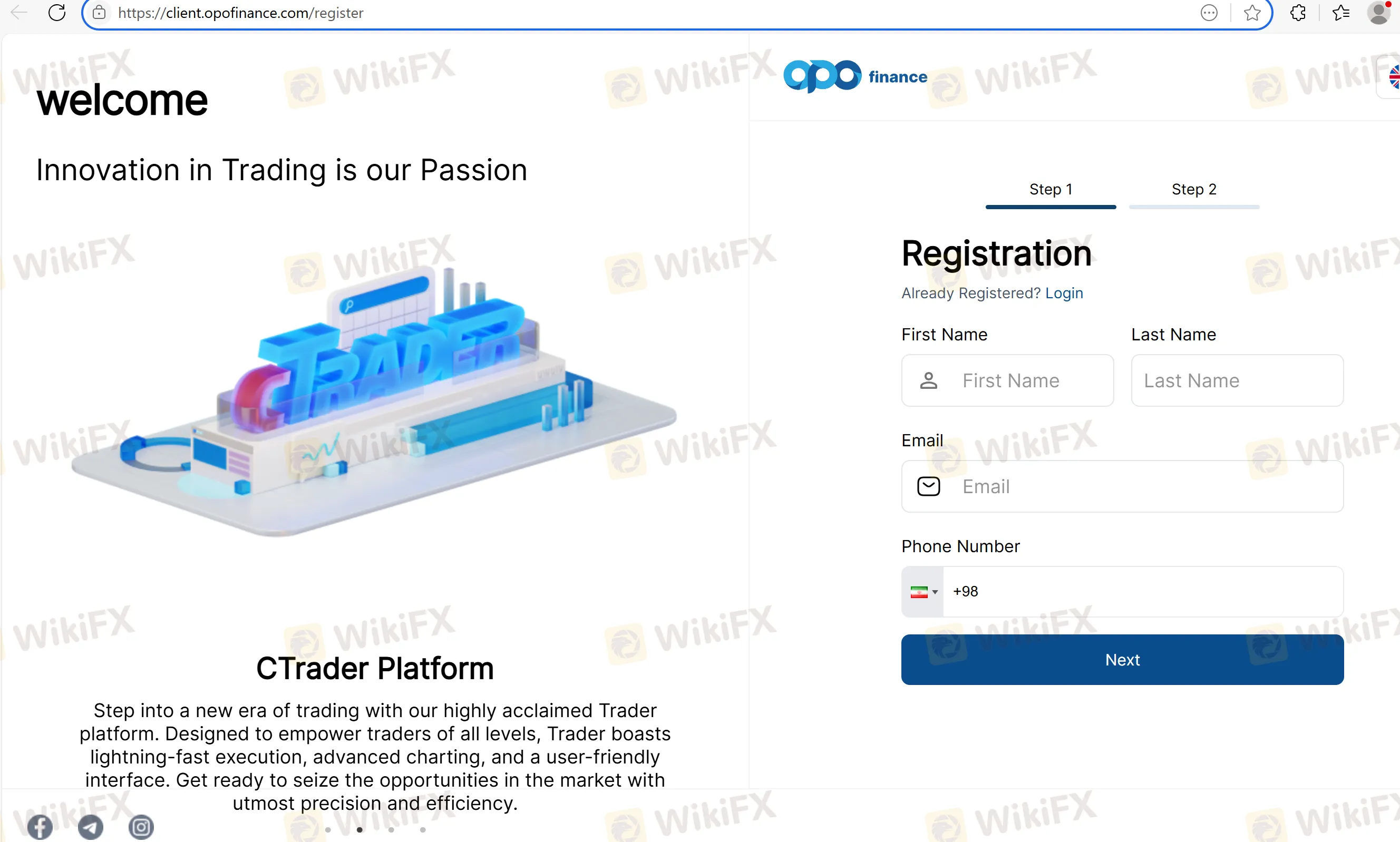
Step 2: Click Create Account and fill in:
- Full Name
- Country
- Password
Step 3: Accept the terms & conditions
Step 4: Click Register and verify your email
Once your account is created, you can access the client portal to manage trading platforms, accounts, deposits, and withdrawals.
🔐 Login Procedure:
Step 1: Go to https://client.opofinance.com/auth/sign-in
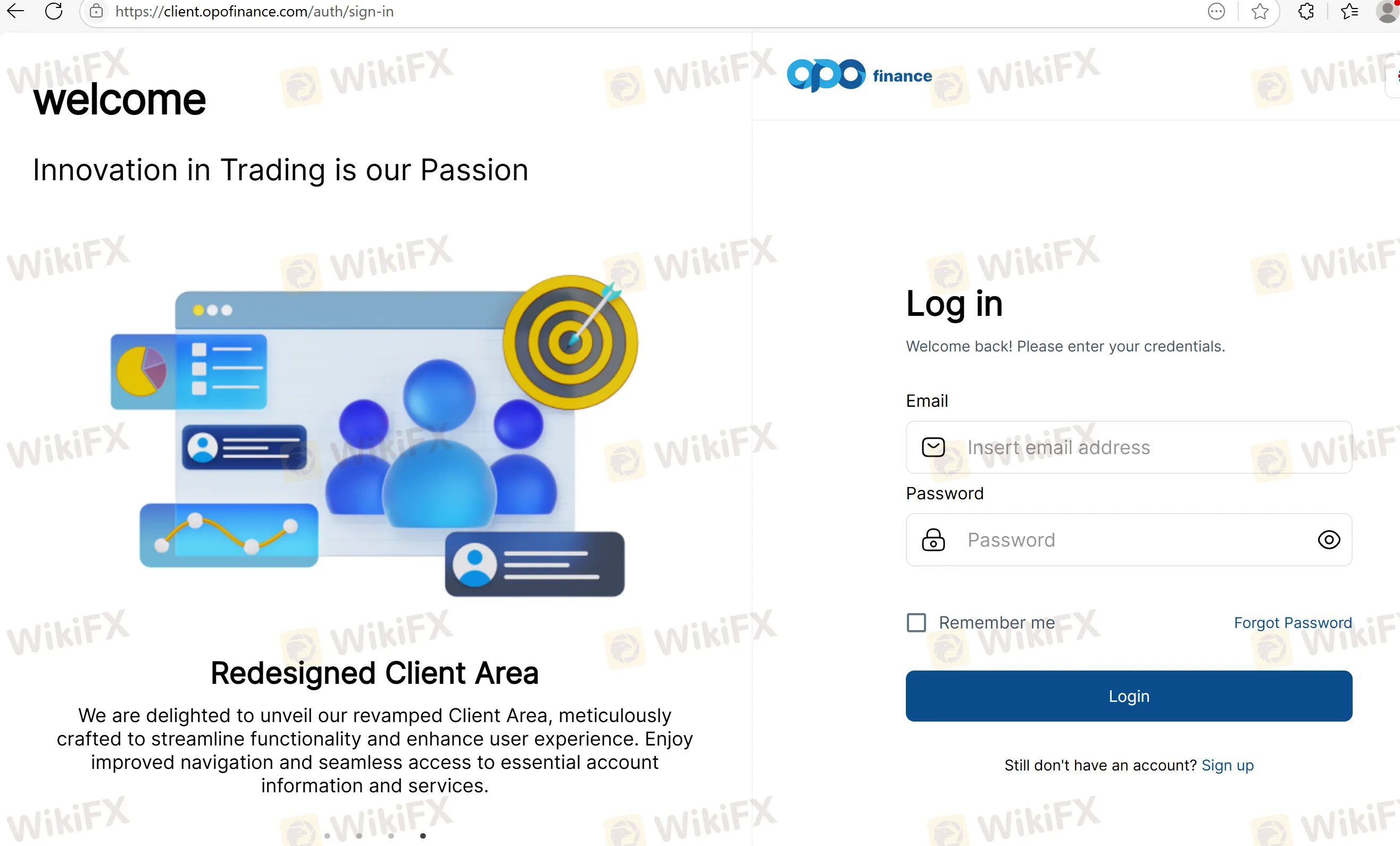
Step 2: Enter your registered email and password
Step 3: Use 2FA (if enabled) for additional security
MT4, MT5 & Platform Credentials Management
After logging into your client area, you can open live and demo accounts for different platforms:
📊 Platform Options from Dashboard:
- MetaTrader 4 (MT4)
- MetaTrader 5 (MT5)
- cTrader
- OpoTrade (TradingView integration)
Each trading account will generate:
- Login ID (for the selected platform)
- Trading Password
- Server Name (choose correctly in your terminal)
All platform credentials are accessible under “Accounts” in your dashboard. Demo and live environments are clearly marked to avoid confusion.
Mobile Login & App Integration
Opofinance supports mobile login through native and third-party apps:
- OpoTrade App (iOS & Android): Unified login for all platform accounts with TradingView charting
- MetaTrader 4/5 apps: Login using server, account ID, and password
- cTrader App: Login using cTrader ID linked to your Opofinance email
Our team tested login across all mobile apps — authentication worked seamlessly with correct credentials, and execution latency remained under 100ms. [Based on internal testing]
FAQs About Opofinance Login & MT4/MT5 Access
Q1: Where do I log in to my Opofinance account?
A: Go to https://my.opofinance.com and use your registered email and password.
Q2: Can I trade directly on MT4 or MT5 after login?
A: Yes. Once youve created a trading account in the client portal, you can use the credentials to log in on MT4 or MT5.
Q3: What should I do if I forgot my password?
A: Click “Forgot Password” on the login page and follow the email reset instructions.
Q4: Is mobile login available?
A: Yes. You can log in using the MT4/MT5/cTrader mobile apps, or the OpoTrade app for a unified experience.
Q5: How do I switch between platforms?
A: You can manage and open new accounts for each platform from your dashboard. Each account has unique credentials.
Q6: Is login protected with two-factor authentication (2FA)?
A: 2FA is available and strongly recommended. You can enable it from your client area for added security.
Disclaimer:
The views in this article only represent the author's personal views, and do not constitute investment advice on this platform. This platform does not guarantee the accuracy, completeness and timeliness of the information in the article, and will not be liable for any loss caused by the use of or reliance on the information in the article.
WikiFX Broker
Latest News
DFSA warns of scam impersonating firm Menhir Capital
WikiFXKATOPRIME Review: Unregulated and Risky, With Withdrawal Complaints to Verify
WikiFXKATOPRIME Review: Regulation Gaps and Broker Risks Traders Cannot Ignore
WikiFXU.S. Rates and Tariffs Shape Macro Risk Sentiment
WikiFXTPFx Review 2026: An A+++ Result and an Impersonation Warning - What to Check Before Funding
WikiFXReview 2026: STMARKET Regulation, MT5 Access, and Withdrawal Complaint Signals
WikiFXDFSA warns of scam cloning authorised firm Menhir Capital
WikiFXSri Lanka to Criminalize Unauthorized Forex Transfers
WikiFXPocket Option Review 2026: Complaints, Withdrawals, and Unregulated Risk
WikiFXInteractive Brokers changes overnight order default in TWS
WikiFX